
Exposure Is Position-Specific
Sheltered soffits, open poles, ocean-facing walls and parking structures do not share one condition.

SITE-SPECIFIC GUIDANCE FOR EXPOSED COMMERCIAL TECHNOLOGY
Coastal planning is not solved by labeling every outdoor device weatherproof. Direct salt exposure, wind-driven moisture, sun, heat, mounting surfaces, fasteners, cable transitions, enclosures and maintenance access vary from one position to another.
A commercial design should document each exterior condition, compare manufacturer ratings and installation requirements, and keep network equipment in locations that can be protected, powered, serviced and tested over time.
Sheltered soffits, open poles, ocean-facing walls and parking structures do not share one condition.
Ingress, impact and corrosion-related claims are checked against the exact model and installation guidance.
Mounts, fasteners, glands, conduit, enclosures and cable entry receive the same scrutiny as the camera.
Technicians need safe access to inspect, clean, test and replace exposed equipment.
Ingress-protection and impact ratings describe defined test conditions, while ratings such as NEMA 4X can include corrosion-resistance requirements. They do not remove the need to follow model-specific installation instructions or evaluate every accessory in the assembly.
Network switches, power supplies, media converters and terminations also need suitable equipment spaces. Placing active electronics in an exposed cabinet can create heat, moisture, power and maintenance issues that should be compared with an indoor or better-protected design.
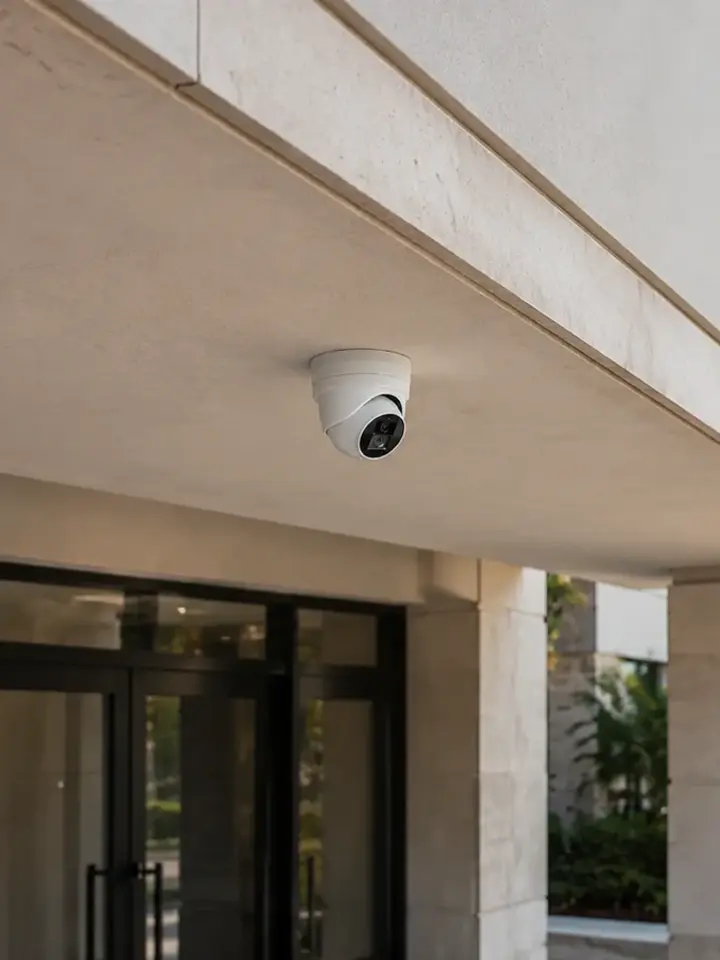
Record direct weather, salt exposure, sun, vibration, cleaning activity and required image detail.
Check the surface, mount, fasteners, seals, strain relief and access for later adjustment.
Plan drip paths, glands, conduit, building entry, separation and service loops according to the installation.
Review rating, material, heat load, drainage, power coordination, grounding and maintenance clearance.
Prefer supportable indoor or sheltered telecom locations when the pathway and design allow.
Confirm the exact IP rating and whether the complete installed assembly maintains the intended protection.
Review materials, coatings and manufacturer test claims for the environment instead of assuming all outdoor models are equal.
Use IK or other physical-resistance information where the location is exposed to contact or tampering.
Compare published operating limits with enclosure heat, solar load and the actual equipment space.
Identify the power source, PoE method, grounding and surge-protection responsibilities for exposed links.
Include cleaning, inspection and replacement access in the property’s service plan.
Use cable, conduit, glands and enclosures suited to the route and manufacturer requirements.
Protect transitions, coordinate penetrations and move to an appropriate interior pathway where practical.
Confirm rack space, cooling, power coordination, physical security and network access.
Evaluate fiber where distance or electrical conditions make copper undesirable, with proper cable and termination protection.
Record exact models, ratings, mounts, routes, enclosure contents and maintenance instructions.
Look for fastener deterioration, loose mounts, damaged seals, cable cracks and enclosure issues.
Compare current views for haze, water spots, glare, vibration, focus changes or blocked fields of view.
Identify exposed transitions, low points, unsealed entries and inaccessible junctions.
Confirm models, firmware, replacement availability and compatibility before repair or expansion.
Evaluate guest entrances, parking, service areas and exposed exterior positions.
Coordinate tower surfaces, garages, rooftop or podium areas and vertical infrastructure.
Review airflow, moisture, vehicle contact, lighting and remote network equipment.
Assess exposed routes and equipment without implying a universal marine specification.
Balance discreet placement, image purpose and accessible maintenance.
Daytona Beach, Daytona Beach Shores, New Smyrna Beach, Flagler Beach and nearby coastal communities include commercial properties with very different exposure. An ocean-facing wall, a sheltered loading area and an inland equipment room can all exist within one site.
Florida construction and product requirements may also affect mounting or pathway work. The project team should coordinate applicable permits, structural support, electrical power and manufacturer instructions with the responsible trades and authorities.

Select and install commercial cameras around verified exterior conditions.

Diagnose image, connectivity, power and enclosure problems at existing locations.

Plan protected pathways and building transitions for outdoor endpoints.

Support longer or electrically separated links with tested fiber infrastructure.

Locate switching and active electronics in supportable commercial equipment spaces.

Create inspection and documentation practices for exposed equipment.

Apply exposure decisions within a high-rise managed-property workflow.

Coordinate exterior equipment with occupied hospitality operations.

Address lighting, obstructions and vehicle-area infrastructure.

Plan protected campus backbones and remote equipment locations.
Record orientation, shelter, surface, route and maintenance access.
Separate direct, partially sheltered and protected equipment conditions.
Review camera, mount, fasteners, cable entry, enclosure and pathway together.
Verify ratings, materials, operating limits and installation instructions for exact models.
Document installed components and a practical service schedule.
Data Pro Communications - Daytona supports commercial security camera and related low-voltage projects under FL License #EC13016138. Project scope, permitting responsibilities and coordination with other trades depend on the property and accepted work.
FAQ
No. Ratings describe specific tests and the exact model. Direct exposure, mounting, accessories, cable entry, temperature, service access and manufacturer instructions still determine suitability.
IP ratings address ingress protection, IK ratings address impact resistance, and NEMA enclosure types describe broader defined requirements that can include environmental and corrosion resistance. Exact scope varies by rating and product.
They carry the equipment and remain exposed to the same environment. Material compatibility, coatings, attachment method, surface condition and manufacturer guidance affect the complete installation.
Only when the equipment, enclosure, heat management, power, access and environmental design support it. An indoor or better-protected location is often easier to maintain when pathways allow.
The route should use suitable media and fittings, protect penetrations, avoid water paths, provide strain relief and transition to the interior pathway according to applicable requirements.
Fiber can support long distances and electrical isolation, but the cable, route, termination, enclosure and active equipment still need environmental protection and testing.
Inspect image quality, housing, window, seals, mount, fasteners, cable jacket, glands, junctions, enclosure condition, labels and the ability to reach the device safely.
Frequency should reflect exposure, manufacturer guidance, property experience and operational importance. The owner should establish a documented interval rather than assume maintenance-free operation.
Not automatically. Inspect and test each location, then compare condition, support, image performance and assembly details before deciding whether repair, relocation or replacement is appropriate.
It should identify exact models and ratings, mounts, fasteners, enclosures, cable routes, building entries, power and network assumptions, testing, maintenance access and related-trade responsibilities.
A coastal project review is stronger when the team can see the mounting surfaces, cable routes, equipment spaces and maintenance access. Share those conditions before the product list is finalized.