
Retention Estimated from Real Settings
Camera profiles, recording schedules and scene activity inform storage instead of a generic days-per-drive promise.

COMMERCIAL VIDEO RETENTION AND ACCESS
An NVR should retain useful video for the period a commercial team actually needs, while giving authorized users a clear way to view, search and export footage.
Data Pro Communications - Daytona plans recording capacity and remote access around camera streams, operating schedules, network conditions, account ownership and the people responsible for reviewing evidence.
Camera profiles, recording schedules and scene activity inform storage instead of a generic days-per-drive promise.
Operators need a usable path from time and camera selection to playback and export.
Accounts and permissions are assigned to authorized customer representatives rather than shared casually.
Upload capacity, firewall rules and supported connection methods are reviewed before off-site viewing is promised.
Storage status, time and camera recording conditions are checked so faults are easier to recognize.
Storage requirements change with resolution, frame rate, compression, scene complexity and whether cameras record continuously or by supported events. A recorder must also leave practical capacity for system overhead and the intended number of streams.
Remote viewing is a separate operational decision. The property should know which users need live view, playback or export, whether they manage one site or several, and how accounts will be recovered when personnel change.
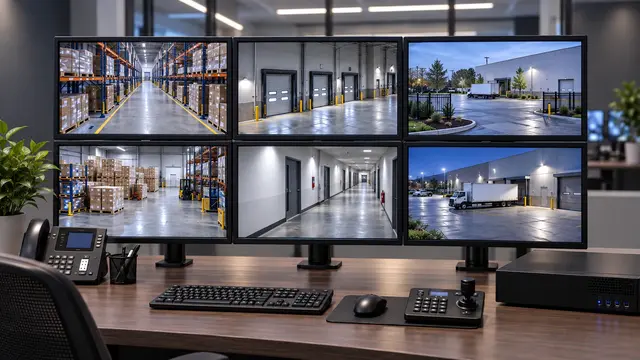
Estimate storage using representative stream settings and the customer's realistic review window.
Organize camera groups, layouts and playback so authorized users can reach the video they need.
Confirm supported export formats, timestamps and the customer's responsibility for handling downloaded files.
Separate administrative control from routine viewing and limit access according to the organization's decisions.
Present selected properties through a supported platform when network and account structures permit centralized review.
Calculate aggregate bitrate and recording behavior rather than sizing only from camera quantity.
Coordinate supported time settings because search, export and cross-system review depend on consistent timestamps.
Document authorized ownership and recovery methods so access does not depend on a departing individual.
Use vendor-supported or customer-approved access paths aligned with the property's cybersecurity requirements.
Hotel and resort teams may review entrances, parking, service areas and selected operational zones from different management locations. Their retention and user-role needs can vary by department and shift.
Condominium and HOA properties often involve managers, boards, vendors and changing personnel. Recorder administration should remain with clearly authorized representatives, with routine viewing separated from configuration rights.
Multi-site property managers may want consistent naming and access across several commercial properties. Standardized navigation can help, but each site still requires its own network, storage and permission review.


Use a broader operator platform when several recorders, sites or advanced search workflows exceed a basic NVR interface.

Match recorder throughput and storage to the network camera streams being deployed.

Diagnose missing recordings, offline channels or access failures without assuming the recorder is the only cause.

Provide stable switching and uplinks between cameras, recorder and authorized viewing points.
Determine how far back users realistically search and which cameras carry the highest evidence value.
Apply expected stream settings, schedules and recorder capacity limits to the proposed workload.
Create authorized roles, document ownership and coordinate supported remote connectivity with IT.
Use representative events to confirm playback, retrieval and file handoff before closeout.
FAQ
An NVR receives, records and provides access to supported network-camera streams. Its practical role includes retention, playback, export, user permissions and system-status visibility.
Retention depends on storage capacity, camera count, resolution, frame rate, compression, recording schedule and scene activity. A precise number cannot be promised without representative settings.
Authorized remote viewing may be configured when the platform, network and customer security requirements support it. Roles, account ownership and recovery methods should be documented.
The choice depends on evidence needs, scene behavior and platform reliability. Continuous recording uses more storage, while event recording may miss activity if detection or configuration is unsuitable.
Supported systems allow authorized users to choose cameras and time ranges, then export in available formats. The customer remains responsible for appropriate handling and sharing of downloaded evidence.
Possible causes include recording schedules, storage failure, channel configuration, time settings, database issues or capacity limits. Live and recorded functions should be tested separately.
Individual or role-based accounts are generally easier to control and revoke than shared credentials. The customer should establish access according to its own authorization policy.
The requirement depends on the number and quality of streams viewed at once, available upload bandwidth and platform behavior. Network conditions should be assessed for the intended workflow.
Some supported platforms can organize multiple sites for authorized users. Each property still needs compatible recording, network access and clearly managed permissions.
Provide camera count, expected stream settings, recording schedule, desired review period, critical cameras, redundancy expectations and the number of simultaneous users.
Share the camera count, desired review period, operating hours, user locations and present recorder information. Those details help define storage and access more accurately than a generic retention estimate.